
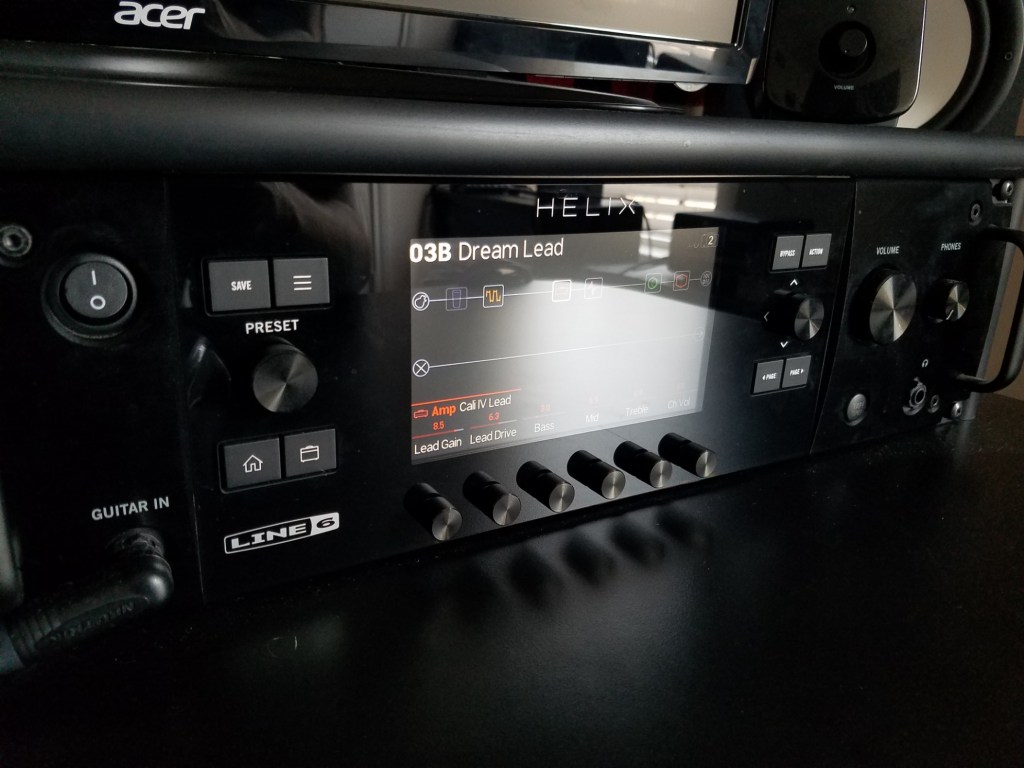
Dialing in modelers in practical ways is something that I’ve been wanting to write about for a long time. In fact, I’m pretty sure I’ve typed out most of the following advice in past text messages or emails to friends or peers who were struggling with their modelers or feature-rich software plug-ins.
“Option paralysis” is a term that I tend to see tagging behind a lot of ultra-flexible audio products that boast a plethora of bells and whistles. It’s meant to describe that feeling when you start delving into a new toy and you’re quickly overwhelmed with all the features that it offers in sculpting sound. You may start to wonder how much each of those features actually matters, or what the “correct” selection may be for a given option. Before you know it you’re totally lost and you either give up on the product entirely or you’re off-the-cuff attempting things no sane person would do.
DSP-based modelers are the undisputed champions of option paralysis for musicians. They’re digital devices that process your instrument’s electrical signal in ways that emulate how legendary amplifiers, popular pedals, and other well-known devices do it. They’re inherently cost-effective and very convenient. You can read online about industry-leading companies that helped popularize modelers, like Line 6 and Fractal Audio Systems, but what matters is this: (1) today’s modelers are incredibly inclusive of almost all musical genres and playing styles, and (2) their rise to prominence in the early 2000’s means that there is a large population of newer guitar and bass players who have never played the “real-life” counterparts to digital models found in modelers. If you’re a member of that generation, this article is for you. I was lucky enough to start playing guitar at a time where I got to see modelers bloom into a highly-useable technlogy but still play tasty tube amplifiers, as most venues I played at hadn’t entirely transitioned to dead stages with reliable PA systems.
When I first started asking questions regarding my guitar tone and how to improve it, most folks hit me with about the same couple lines of advice: “Just turn the knobs until it sounds good”, or “Just use your ears”. None of these folks were regular users of modelers. They typically owned a 1-2 channel tube amplifier, a cabinet (if it wasn’t already a combo), and a couple of pedals with maybe 2-4 knobs apiece. When you only have to adjust a three-band EQ on an amplifier and tune a couple of pedals to hit a few key sounds, “turning the knobs until it sounds good” is fine advice. With so few parameters to dial-in, you can exhaustively fiddle with every knob, get a general sense of what everything does, and have an optimized sound within 10-15 minutes. This brute-force methodology works because you have few options and a starting point (an appropriate amplifier, a quality speaker cabinet, etc.) that may already be a useable sound without you having to do anything to it.
The starting point in most modelers is a wire. You are given a blank slate, a completely empty space in which you can start adding in almost anything you please, but your instrument’s direct signal is almost always useless within itself. You’re forced to start adding in digital models of amps, cabs, and effects yourself. But where to start? A mathematician could probably generate a list of all possible combinations of gear within the Helix and all the different parameters within each one, but we don’t need that person to know that the sun will sooner die before we can try every single one. “Turning knobs until it sounds good” is not viable advice for modeler users.
To combat this obvious problem, lots of modeling units come loaded with factory presets that can be very useful as starting points in crafting any tone. Comprehensive software plug-ins from companies like ML Sound Labs and Neural DSP do as well. However, presets don’t really address the problem of minimizing options for tone tweaking and they can be inducive to “preset scrolling”, where a user keeps flipping through presets trying to find the perfect one instead of sticking to one and learning how to make it work. In my experience, a great preset is only 60-80% of what you’re after, and you still have to change things to get the sound in your head. To this end, I present three key pieces of advice in systemmatically dialing in modelers to get the tones that I’m after:
Remember that the modeler is a library
This statement may seem obvious at first, but think about it: have you ever read every book at a library? Have you cooked every single entrée, appetizer, and dessert in a recipe book? Have you watched every video on YouTube? No, you haven’t. You’ve only ever read books that you thought may be interesting. You’ve only cooked meals that you thought would be delicious. So why would you spend significant time with every single model within a modeler? Instead, rely on your own tastes to navigate the massive offerings within one of these devices. As an example, I love playing modern metal, so I’m on the lookout for high-gain amplifiers like the Peavey 6505 or Diezel Herbert, 4×12 cabinets loaded with Greenback or Vintage 30 speakers, and punchy overdrive pedals. If I’m crafting a rock bass tone, I’m going to start with some variation of the Ampeg SVT paired with an 8×10 or 6×10 cabinet. These specific pieces are things that I know I like from past experience. Knowing your own tastes and the historical use of gear is perhaps the brightest guiding star in navigating a modeler library.
If you’re brand new to tone-hunting and you aren’t quite sure what your tastes are, hold that thought and read on. I promise I haven’t forgotten about you. Just remember: know what you like, pick something within those realms, and stick with it. By simply eliminating as many irrelevant models as possible and working with a smaller subset of possiblities, you’re minimizing your suceptibility to option paralysis.
The modeler is not experienced in the same way as a live amplifier
A common observation that I hear from folks using purely software-based tone processing is, “It doesn’t have the same depth/feel/’oomph’ as a real amp/cab”, or something along those lines. Even though you may initially think that a modeler should be able to stack up against the devices it’s emulating, the reality is that in a lot of cases, this is a false comparison. In order to capture a speaker cabinet and replicate it digitally, microphones and microphone preamplifiers are necessary in order to recreate the cabinet’s sound. Because of this, when you load in an amplifier and cabinet into something like the Helix, you’re not hearing the guitar rig directly, you’re experiencing it through the microphone, preamplifier, and other signal chain elements before it is ultimately played back to you on headphones or a full-range frequency response loudspeaker. In a professional studio scenario, this is akin to sitting in a control room, hearing your guitar played back to you through a cabinet that is mic’d up in an entirely separate room. The sound you are hearing is solely whatever is being picked up by the microphones on the cabinet, including any ambience of the room the cabinet is sitting in. All that information has to go through the inherent filtering of the microphone and microphone preamp, and the final result will always be a skewed representation of what it’s like to stand in front of the cabinet and perceive it directly with your own ears. In short, the modeler amp and cab sound is more “produced” than the correlating hardware, and it’s always important to bear that in mind (side note: this kind of gives rise to the buzzword-y term “mix-ready”. If you’re not educated in what makes a good mix, it’s best that you just ignore this term entirely).
The digital models themselves also have a few “hyperrealisms” that separate them from the actual hardware. The tubes in amplifiers and speaker cones in the cabinets will never age and deteriorate, and noise floors tend to be far quieter and more forgiving. The magnetic tape delays never break. Speaker models also will behave 100% linearly, so they won’t distort if pushed hard as most low-wattage speakers do. This is all minutiae; any piece of gear and its corresponding model within a modeler or plug-in will sound near identical within the realms of intended use.
Educating yourself on the models and referencing your sound will save you time
One of the main advantages of modelers is that it becomes very easy to create signal chains that would be tricky or outright impossible in real life. It can be tempting to try a lot of weird combinations, but for the sake of crafting a useful tone, I implore you to avoid overly complex or unorthodox signal chains instead of simple, realisitic ones.
The models contained within a modeler’s library are mostly derived from or are inspired by real-life gear. So if you’re delving into the library to find a new sound for a specific application, then it can save you a lot of time and experimentation if you know what other folks tend to use for a similar job. There’s nothing wrong with browsing around your modeler’s effects library to have some fun, but if you are after a particular sound, it pays to know how specific gear sounds and how it is histortically used. If people make fun of you and call you a nerd, then that means your tone is better than theirs. For those of you who are new to modeling or gear in general, this is where you begin to learn your tastes!
- Start by choosing a specific album or song that you love, and learn what gear was used to make the guitar or bass tone. The Internet is your friend here!
- Once you learn the general signal chain, start assembling it in your modeler. Start with the primary components: the amplifier, the speaker cabinet, the microphones, and maybe a conspicuous effect. If it isn’t clear what the models within your modeler device are based off of, you may have to look at some documentation (e.g. the Line 6 Helix models are listed within the manual, the Neural DSP Quad Cortex models are published on their website, etc.). Once you have the base tone put together, save it as a preset.
- Play your preset a little and answer two important questions: (1) “Do I like this sound?” and (2) “How is this sound useful?” These two things don’t always coincide. You also may not have the insight at hand to know how useful something is. In this case, you’ll have to hear your tone in a mix to know. Testing out your tone in a mix (live or recorded) is CRUCIAL to testing a tone. Also be sure to keep an open mind; there are a lot of things that you may not love about an isolated tone, but it could work perfectly in a mix. I’ve never loved the Tube Screamer genre of overdrive pedals, but one appears in almost every song I’ve released until 2024. The stupid thing just works!
- Once you’ve determined that you like the sound and it has a use, try swapping one model in the preset for a similar piece of gear, or adjust the settings of one of the current models. You may find you like the new sound more, or it has a completely different use! Make sure to overwrite the preset or create a new one as you see fit, and then repeat the process of swapping/adjusting models until you’re content. Using this approach, I’ve found that the difference between a great high-gain rhythm tone and lead tone can be as simple as a speaker cabinet swap.
When you need to create an entirely new tone, just start this process over! This is a great way for you to formulate opinions and create your own unique and objective decision-making process for creating new sounds. You’ll also become more educated in gear, knowing what your favorite pieces of gear are, and knowing when to call on a specific model when you have a guitar tone that isn’t quite right. Doing this process repeatedly is how tone experts gain their tricks and learn their gear intimately.
Referencing your sound is a great way to keep on the right path. It’s like bowling with the guardrails up, except no one is going to judge you for it. If you can obtain an audio file containing the tone you’re after, soloed and outside of a mix, then you can directly compare it against the tone you’re building in your modeler. As an example, you may find that the target tone has less bass than you thought, so you need to adjust that in your modeler’s signal chain.
Conclusion
This has been a lengthy post, but given the number of times I’ve had to give someone tips on how to dial in a modeler or software plug-in, it feels warranted. If you’ve read this far, you’re a real trooper, and I hope you’ve learned a lot about how to practically approach your modeler so that you can avoid option paralysis and more quickly get your instrument sounding how you want. Happy tone hunting!
 Substation Onyx
Leave a comment